Virtual assistants handle a wide range of tasks — from email management and calendar scheduling to social media posting, data entry, bookkeeping support, and customer service. The diversity of work makes VA invoicing uniquely challenging: you need to track multiple small tasks across multiple clients, often with different billing arrangements for each.
A proper invoice template for virtual assistants needs to handle hourly billing for ad-hoc tasks, monthly retainer packages with defined hour limits, and occasionally per-task pricing for specialized work — all while keeping the invoice simple enough for clients who may not be familiar with contractor billing.
VA Billing Models
Hourly Billing
The most common model for new VA-client relationships. You track hours worked and invoice at your hourly rate ($15–$75/hr depending on specialization and location). Best for clients with variable or unpredictable workloads.
Monthly Retainer Packages
A fixed monthly fee for a set number of hours: “20 hours/month of general VA support for $800.” Retainers provide predictable income for you and predictable costs for the client. Hours beyond the package are billed at an overage rate. Automate with recurring invoices.
Common VA package tiers:
- Starter: 10 hours/month — Email management, scheduling, basic admin
- Growth: 20 hours/month — Above + social media, research, data entry
- Premium: 40 hours/month — Full executive support, project coordination, bookkeeping
Task-Based Pricing
Fixed fees for specific, repeatable tasks: “Monthly bookkeeping reconciliation: $150” or “Email newsletter setup: $75/newsletter.” Best for specialized tasks where the effort is predictable.
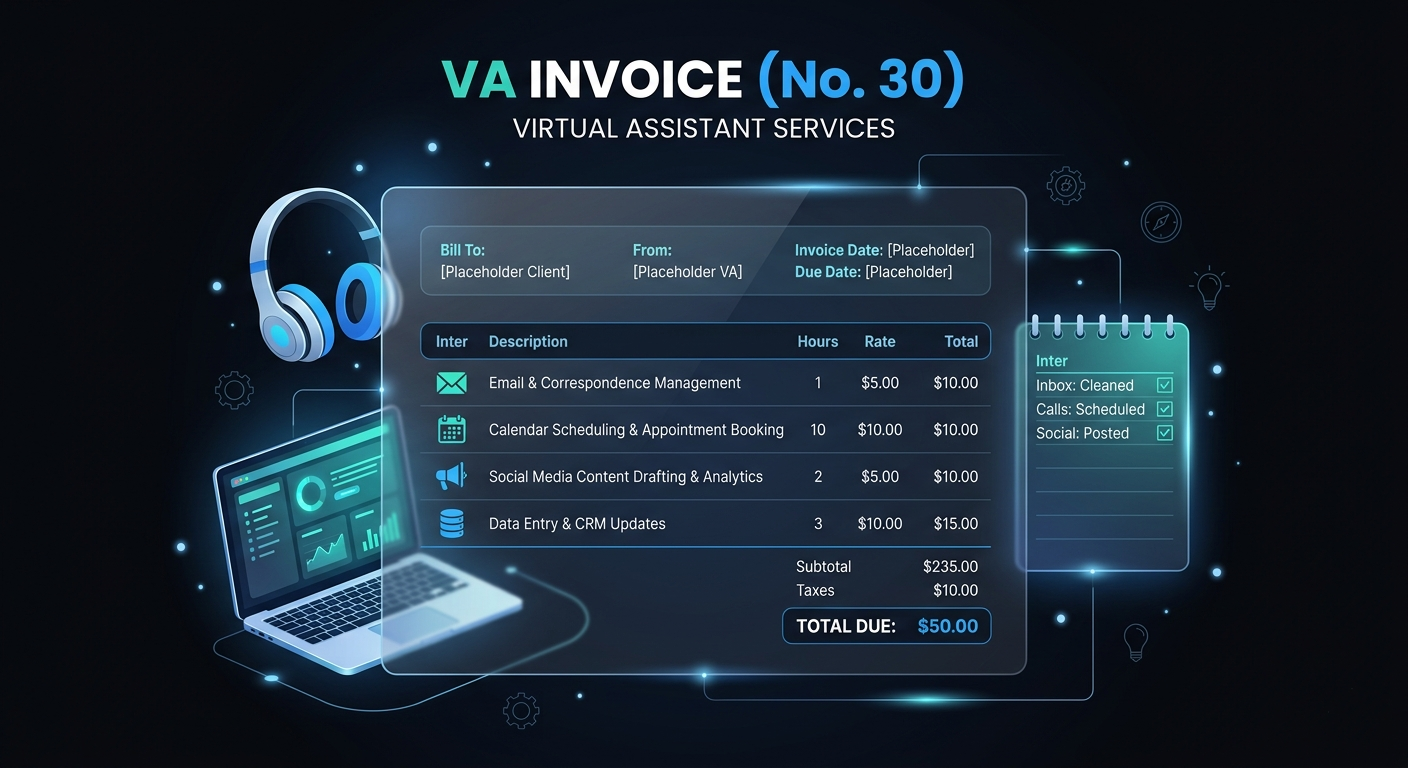
Sample VA Invoice
| Description | Qty | Unit | Rate | Amount |
| Monthly VA Retainer — Growth Package | 20 | hours | $40 | $800 |
| HOURS BREAKDOWN | ||||
| Email Management & Inbox Zero | 6 | hours | — | Included |
| Calendar & Meeting Coordination | 3.5 | hours | — | Included |
| Social Media: Scheduling & Posting | 4 | hours | — | Included |
| Research: Vendor Comparison Report | 3 | hours | — | Included |
| Data Entry & CRM Updates | 2.5 | hours | — | Included |
| Client Communication & Follow-ups | 1 | hours | — | Included |
| OVERAGE HOURS | ||||
| Additional Work: Travel Booking Research | 2.5 | hours | $50 | $125 |
| TASK-BASED | ||||
| Monthly Expense Reconciliation (Feb 2026) | 1 | task | $150 | $150 |
Note: The hours breakdown shows how the 20 retainer hours were allocated — each entry is “Included” in the retainer fee. Overage hours are billed at the premium rate ($50 vs. effective $40/hr). The expense reconciliation is a separate task-based line item.
Why VAs Should Show an Hours Breakdown
Even when billing a flat retainer, showing how hours were allocated provides three benefits:
- Value visibility: The client sees exactly what 20 hours of VA support accomplishes. This reinforces the ROI and justifies the monthly fee.
- Scope clarity: If the client starts requesting work beyond the retainer scope, you can point to the breakdown: “As you can see, the 20 hours are fully allocated. This new request would be overage.”
- Renewal justification: When it’s time to renew or upgrade the retainer, the historical hours breakdown shows utilization patterns that justify the package level.
Handling Overage Hours
Overage is a natural part of VA retainer relationships. Handle it professionally:
- Set the overage rate in your contract. Typically 15–25% above the effective retainer rate (e.g., $50/hr overage vs. $40/hr effective retainer rate).
- Notify before going over. When you’re approaching the retainer limit (80%+ used), send a brief notification: “Heads up — we’ve used 17 of 20 hours this month. Additional work will be billed at the overage rate.”
- Bill overage on the same invoice. Include overage hours as a separate section below the retainer, clearly labeled.
- Suggest an upgrade if overage is consistent. If the client regularly exceeds their package, propose upgrading to the next tier — it’s better value for them and more predictable revenue for you.
6 Invoicing Tips for Virtual Assistants
- Use time tracking religiously. Track every task in a time tracker. VA work involves many small tasks that individually seem insignificant but add up. Without tracking, you’ll consistently underreport and undercharge.
- Invoice on the same date every month. Consistency builds expectation. The 1st or 15th of each month is standard.
- Show the retainer + breakdown format. The retainer is the total, the breakdown shows how it was used. This format is the gold standard for VA invoicing.
- Include task descriptions, not just categories. “Research: Top 10 CRM tools comparison for Q2 evaluation” is better than “Research: 3 hours.”
- Offer package pricing, not just hourly. Packages are easier for clients to budget and give you predictable income.
- Use Stripe payment links for instant payment. VA clients are often busy entrepreneurs. One-click payment from the invoice is ideal.
Frequently Asked Questions
Should VAs charge hourly or offer retainer packages?
Start with hourly billing for the first 1–2 months to establish a baseline of hours used. Then propose a retainer package based on actual usage. Packages provide predictable income and are easier for clients to budget.
How do I handle a client who doesn’t use all their retainer hours?
Retainer hours are a reservation of your availability and don’t roll over unless specified in your contract. The client pays for access to your time, not just the tasks completed. You can offer limited rollover (e.g., up to 5 unused hours carry forward) as a goodwill gesture.
What’s a good overage rate for VA work?
15–25% above the effective retainer rate is standard. If the retainer works out to $40/hr, charge $48–$50/hr for overage. The premium incentivizes the client to stay within scope or upgrade their package.
How detailed should my time log be?
Detailed enough that the client understands what was done, but not so granular that it becomes a chore. Group small tasks: “Email management & inbox zero (Mon–Fri): 6 hours” rather than logging every individual email.
Create Your VA Invoice Today
➜ Create your free virtual assistant invoice with DevInvoice