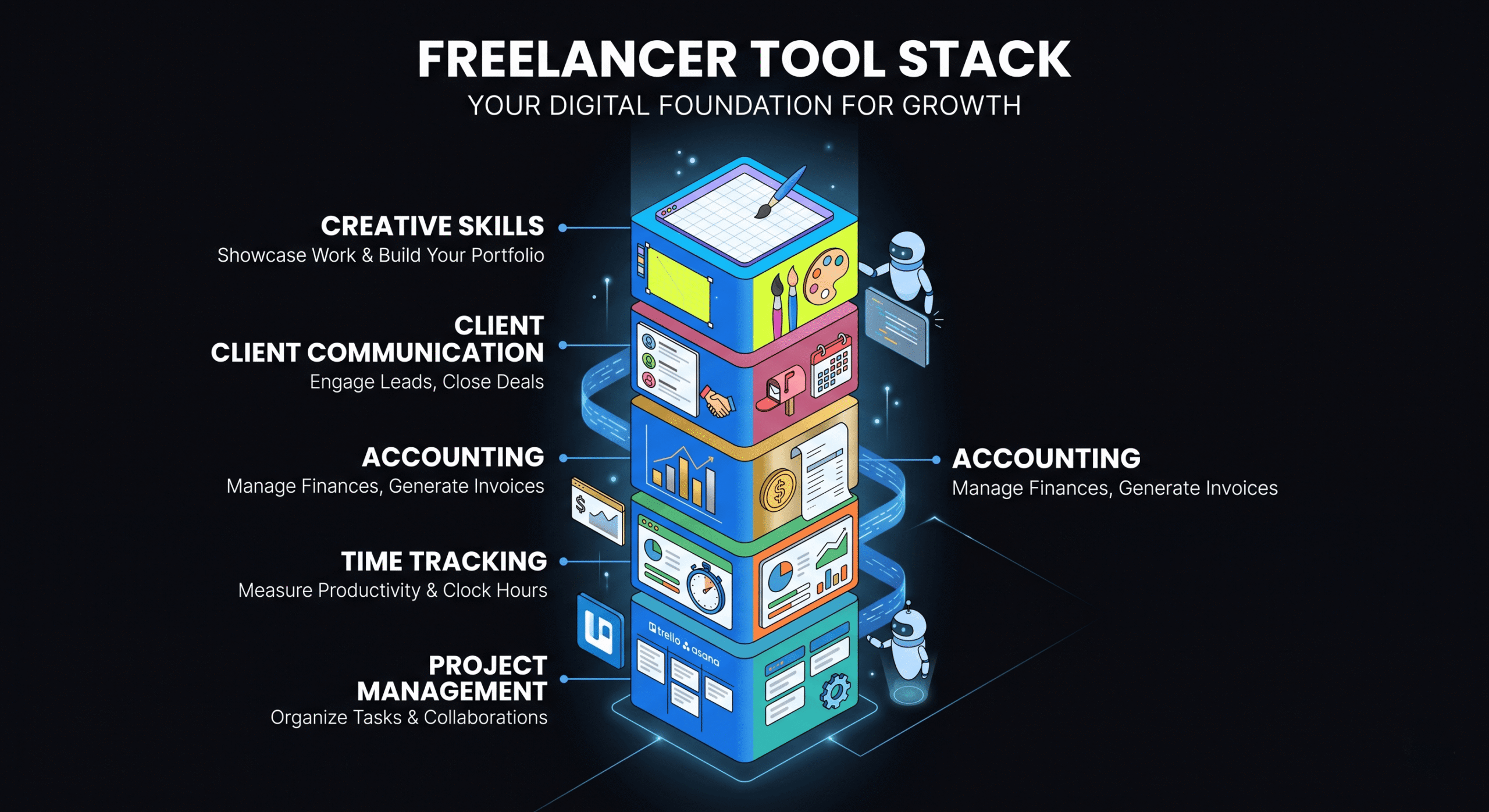
Every successful freelancer has a curated set of tools that handles the non-billable work: project management, invoicing, contracts, communication, time tracking, and accounting. The right freelancer tools stack eliminates administrative friction and lets you focus on the work that actually earns money.
But with thousands of options available, building the right stack is overwhelming. You don’t need 30 tools — you need 10–15 that work well together and cover every critical business function.
This guide is the definitive list of tools every freelancer should evaluate in 2026, organized by business function. Each recommendation is based on real-world freelancer workflows, not sponsorship deals.
Invoicing & Payments
1. DevInvoice — Best for Developers & Tech Freelancers
Purpose-built invoicing for freelancers who want speed, clean design, and developer-friendly features. Stripe payments, Asana integration, multi-currency, and a generous free plan.
- Price: Free (Pro $4.99/month)
- Why it’s here: Fastest invoice-to-payment workflow we’ve tested. Dark-mode UI, Asana task-to-invoice conversion, and professional PDF exports.
2. Stripe — Payment Processing
The payment backbone behind most modern invoicing tools. Accept credit cards, debit cards, and bank transfers from 135+ countries. 2-day payouts to your bank account.
- Price: 2.9% + $0.30 per transaction
- Why it’s here: Industry standard for card payments. Seamless integration with invoicing tools like DevInvoice. See our Stripe setup guide.
Project Management
3. Asana — Task & Project Management
The most popular project management tool for freelancers and small teams. Organize work into projects, tasks, and subtasks. Track progress, set deadlines, and manage multiple clients in one workspace.
- Price: Free for individuals (Premium $10.99/month)
- Why it’s here: Clean interface, flexible enough for any workflow, and integrates with invoicing tools for task-to-invoice conversion.
4. Notion — Knowledge Base & Documentation
All-in-one workspace for notes, documentation, wikis, databases, and project tracking. Ideal for managing client SOWs, project documentation, and internal processes.
- Price: Free for personal use (Plus $10/month)
Time Tracking
5. Toggl Track — Simple Time Tracking
The most popular standalone time tracker. One-click timers, detailed reports, and integrations with Asana, Trello, and 100+ other tools. Perfect for hourly billing.
- Price: Free for up to 5 users (Starter $10/user/month)
6. Harvest — Time Tracking + Invoicing
Combines time tracking with built-in invoicing. Track hours, generate invoices from logged time, and accept payments. Best for freelancers who bill primarily by the hour.
- Price: Free (1 user, 2 projects), Pro $10.80/user/month
Contracts & Proposals
7. HelloSign (Dropbox Sign) — E-Signatures
Send contracts and proposals for electronic signature. Legally binding, trackable, and integrates with Google Drive and Dropbox for document storage.
- Price: Free (3 signatures/month), Essentials $15/month
8. Bonsai — Contracts & Proposals
Pre-built contract templates for freelancers covering NDAs, master service agreements, and project contracts. Also includes proposal templates and basic invoicing.
- Price: Free (limited), Starter $21/month
Communication
9. Slack — Client & Team Communication
Real-time messaging for client communication and team collaboration. Organize conversations by channel (one per client or project), share files, and integrate with your other tools.
- Price: Free (Pro $7.25/user/month)
10. Loom — Async Video Communication
Record quick screen + camera videos to explain concepts, walk through code, or provide project updates. Faster than writing long emails, more personal than text, and clients can watch on their own schedule.
- Price: Free (up to 25 videos), Business $12.50/user/month
Accounting & Finance
11. Wave — Free Accounting
Full-featured accounting software that’s genuinely free. Income and expense tracking, bank connections, financial reports, and receipt scanning. The best free option for freelancers who need more than just invoicing.
- Price: Free (payment processing fees apply)
12. Wise — International Banking
Multi-currency business account that lets you hold and convert money in 40+ currencies at mid-market rates. Essential for freelancers with international clients. See our multi-currency invoicing guide.
- Price: Free account, low conversion fees
Productivity & Automation
13. Calendly — Scheduling
Eliminate the back-and-forth of scheduling meetings. Share your availability link, clients book directly, and calendar events are created automatically. Integrates with Google Calendar, Zoom, and Meet.
- Price: Free (basic), Standard $10/month
14. Zapier — Workflow Automation
Connect your tools together with automated workflows. Example: when a client signs a contract in HelloSign, automatically create a project in Asana and a client profile in DevInvoice. Eliminates manual data entry across tools.
- Price: Free (100 tasks/month), Starter $19.99/month
15. 1Password — Password Management
Securely store and manage passwords for client accounts, hosting panels, CMS logins, and API keys. Essential security hygiene for any freelancer handling client credentials.
- Price: $4.99/month (individual)
How to Build Your Stack Without Overspending
You don’t need to subscribe to all 15 tools on day one. Here’s the priority order:
- Start here (free): DevInvoice (invoicing) + Asana (PM) + Toggl (time tracking) + Wave (accounting) + Slack (communication). Total cost: $0.
- Add when you have clients: Stripe (payments) + HelloSign (contracts) + Calendly (scheduling). Add ~$15/month.
- Scale when revenue justifies it: DevInvoice Pro ($4.99/month for recurring invoices) + Notion + Zapier + Loom + Wise. Total stack: ~$50–80/month.
The entire stack described above costs less than a single hour of most freelancers’ billable time. The ROI is enormous: you’ll save 15–20 hours per month in administrative work.
Frequently Asked Questions
What’s the most important tool for a new freelancer?
An invoicing tool. You can’t get paid without one, and using a proper invoicing tool from day one establishes professional habits and creates financial records you’ll need for taxes.
How many tools do I really need as a freelancer?
Start with 4–5 core tools (invoicing, PM, time tracking, communication, contracts) and add more only as specific needs arise. Over-tooling wastes money and creates context-switching overhead.
Should I use all-in-one platforms or best-of-breed tools?
Best-of-breed tools (specialized for each function) generally outperform all-in-one platforms. Connect them with Zapier for automation. The exception: if you strongly prefer simplicity, an all-in-one like Moxie or Bonsai can work for solo freelancers.
How do I track expenses across multiple tools?
Use your business credit card for all tool subscriptions. The card statement becomes your automatic expense log. Categorize monthly in your accounting tool (Wave or QuickBooks).
Build Your Stack, Build Your Business
The right tool stack is a force multiplier for your freelance business. It handles the admin, automates the repetitive, and frees you to focus on billable client work. Start with the essentials, grow as needed, and invest in tools that save you more time than they cost.
➜ Start with DevInvoice — the invoicing foundation of your stack