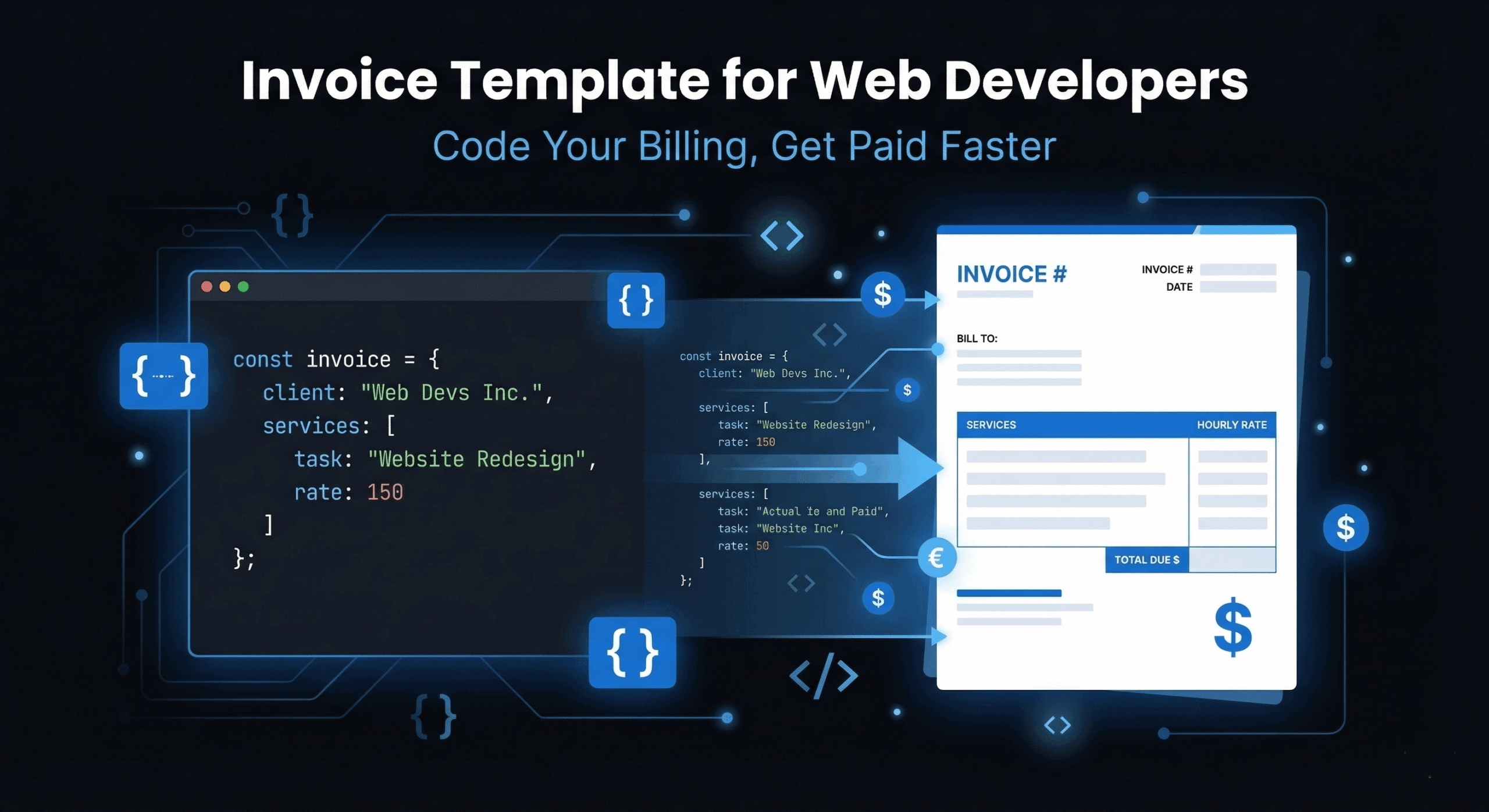
As a web developer, you spend your days writing code, debugging complex systems, and building digital products that power businesses. The last thing you want to spend time on is formatting an invoice template for web developers from scratch every time a project wraps up.
Generic invoice templates don’t cut it for development work. They don’t account for milestone-based billing, sprint-based deliverables, hourly versus fixed-price projects, or the technical specificity that clients need to see in order to approve payment quickly.
This guide gives you a free, developer-specific invoice template you can download and customize immediately, plus a complete breakdown of how to structure invoices for different types of web development work.
Why Web Developers Need a Specialized Invoice Template
A generic invoice template might work for a one-time consulting session, but web development projects are structurally different from most service work:
- Multiple billing models: You might charge hourly for maintenance, fixed-price for a landing page build, and milestone-based for a full application. Your invoice needs to handle all three.
- Technical line items: Clients need to see what they’re paying for in terms they can understand, while the invoice still needs to be specific enough to reference in a contract or scope document.
- Phase-based delivery: Web development projects typically span discovery, design, development, testing, and deployment. Invoicing per phase is common and needs clear formatting.
- Change orders: Scope creep is endemic in development. Your invoice should clearly separate original scope items from change requests so there’s no confusion about what’s core and what’s additional.
- Retainer and maintenance billing: Many developers have ongoing monthly retainers for hosting management, security updates, and bug fixes. These need recurring invoices with consistent formatting.
Anatomy of a Perfect Web Developer Invoice
Here’s exactly what your developer invoice should include, building on the general how to create an invoice framework but tailored for development work:
Header Section
- Your business name, logo, and contact information
- Client’s company name, billing contact, and address
- Invoice number (use a consistent system — see our invoice numbering guide)
- Invoice date and due date
- Project name or reference code
- Purchase order number (if the client requires one)
Line Items Section
This is where developer invoices diverge from generic templates. Structure your line items by project phase or service category:
| Description | Qty | Unit | Rate | Amount |
| Discovery & Requirements Analysis | 8 | hours | $95 | $760 |
| UI/UX Design — Homepage + Inner Pages | 1 | project | $2,400 | $2,400 |
| Frontend Development — React Components | 24 | hours | $95 | $2,280 |
| Backend API Development — Node.js | 16 | hours | $95 | $1,520 |
| QA Testing & Bug Fixes | 6 | hours | $85 | $510 |
| Deployment & DevOps Setup | 4 | hours | $95 | $380 |
| [CHANGE ORDER] Additional Contact Form | 3 | hours | $110 | $330 |
Note: Change orders are billed at a higher rate ($110/hr vs $95/hr) to reflect the out-of-scope nature of the work. This should be established in your contract.
Totals Section
- Subtotal: Sum of all line items
- Applicable taxes (sales tax, VAT, GST)
- Less: Deposit or milestone payment already received
- Total due: Final amount payable
Payment Section
- Accepted payment methods (Stripe link, bank transfer, PayPal)
- Payment terms (Net 15, Net 30, Due on Receipt)
- Late payment policy
Footer Section
- Thank you note
- Reference to contract or SOW
- Next steps (e.g., “Please review and process within 15 days”)
How to Invoice for Different Types of Web Development Work
Hourly Billing
The most common model for maintenance, bug fixes, and ongoing development work. Track your hours meticulously using a time tracker, then convert logged hours directly into invoice line items. Each entry should include the date, task description, and hours worked.
Tools like DevInvoice with Asana integration let you pull tracked tasks directly into invoice line items, eliminating manual data entry.
Fixed-Price Projects
For defined-scope projects (a landing page, a WordPress theme, a Shopify store), you agree on a total price upfront. Invoice either as a single payment on delivery, or split into milestones.
Typical milestone structure for a $10,000 web development project:
- 30% upfront ($3,000): Due on contract signing, before work begins
- 40% at midpoint ($4,000): Due when development phase is complete and staging site is ready for review
- 30% on delivery ($3,000): Due when the project is deployed to production and client signs off
Retainer/Maintenance Billing
For ongoing client relationships (hosting management, security patches, content updates), bill a flat monthly fee with a defined scope of hours. Use recurring invoices to automate this entirely.
Example: “Monthly Website Maintenance Retainer — Up to 10 hours of development support, plugin updates, security monitoring, and uptime management. $950/month.”
Sprint-Based Billing
If you work in agile sprints, invoice at the end of each sprint cycle. Each line item corresponds to a user story or feature delivered during the sprint, with the associated hours and rate.
Handling Scope Creep on Your Invoice
Scope creep is the single biggest profitability killer for web developers. Your invoice is the last line of defense. For prevention strategies, see our full guide on scope creep in freelancing.
On the invoice itself, handle scope changes by:
- Separating original scope from change orders. Use a clear label like [CHANGE ORDER] or [OUT OF SCOPE] before the line item description.
- Applying a different rate for out-of-scope work. A 15–20% premium on your standard rate is common and contractually justified.
- Referencing the approval. In the notes section, reference the email or Slack message where the client approved the additional work.
10 Tips for Professional Web Developer Invoices
- Use project-specific invoice numbers. Format: CLIENTNAME-PROJECT-001 for easy reference (e.g., ACME-WEBSITE-003).
- Group line items by project phase. Discovery, Design, Development, Testing, Deployment — each as a section.
- Always specify hours AND rate. Even for fixed-price projects, showing the hourly breakdown builds trust and justifies the total.
- Include the project name in the invoice header. This helps the client’s accounting team route the invoice to the right person for approval.
- Attach supporting documentation. Time logs, sprint reports, or a brief project summary alongside the invoice speeds up approval.
- Bill immediately on delivery. Don’t wait for month-end. The closer your invoice is to the delivered work, the faster it gets paid.
- Set Net 15 payment terms. Most development clients can process within 15 days. Net 30 just gives them permission to deprioritize your invoice.
- Embed a Stripe payment link. One-click payment from the invoice PDF dramatically reduces payment friction.
- Include a late fee clause. Even if you rarely enforce it, a visible 1.5%/month late fee motivates on-time payment.
- Brand your invoices. Your logo, consistent colors, and clean formatting signal professionalism. Your invoice is part of your client experience.
Download Your Free Web Developer Invoice Template
Stop building invoices from scratch. DevInvoice gives you a professional, developer-focused invoice template that you can customize with your branding, save client details, and reuse across every project.
➜ Create your free invoice with DevInvoice
Features included in the free plan:
- Unlimited invoices with professional PDF export
- Custom branding (logo, colors)
- Client management dashboard
- Stripe payment integration
- Multi-currency support
- Asana task-to-invoice conversion
Frequently Asked Questions
What should a web developer include on an invoice?
A web developer invoice should include your business details, client information, a unique invoice number, project name, itemized services broken down by phase (discovery, design, development, testing, deployment), hours worked, rates, taxes, total due, payment instructions, and payment terms.
Should I charge hourly or fixed-price for web development?
It depends on the project. Hourly billing works best for ongoing maintenance, unclear scope, or exploratory work. Fixed-price works best for clearly defined projects with an agreed scope. Many developers use a hybrid: fixed-price for the core project, hourly for change orders.
How do I invoice for a website redesign project?
Break the project into phases (audit, design, development, migration, testing, launch) and create line items for each. If using milestone billing, send a separate invoice at each milestone with the corresponding amount and phase details.
What’s the best invoice format for developers?
PDF is the standard — it’s universally viewable, professional, and preserves formatting across devices. Use an invoicing tool that generates clean PDFs with embedded payment links for the fastest payment cycle.
How often should a freelance web developer invoice?
Invoice immediately upon completing each deliverable or milestone. For retainer clients, invoice on the 1st of each month for the upcoming period. For hourly work, invoice bi-weekly or monthly, depending on the project’s payment terms.