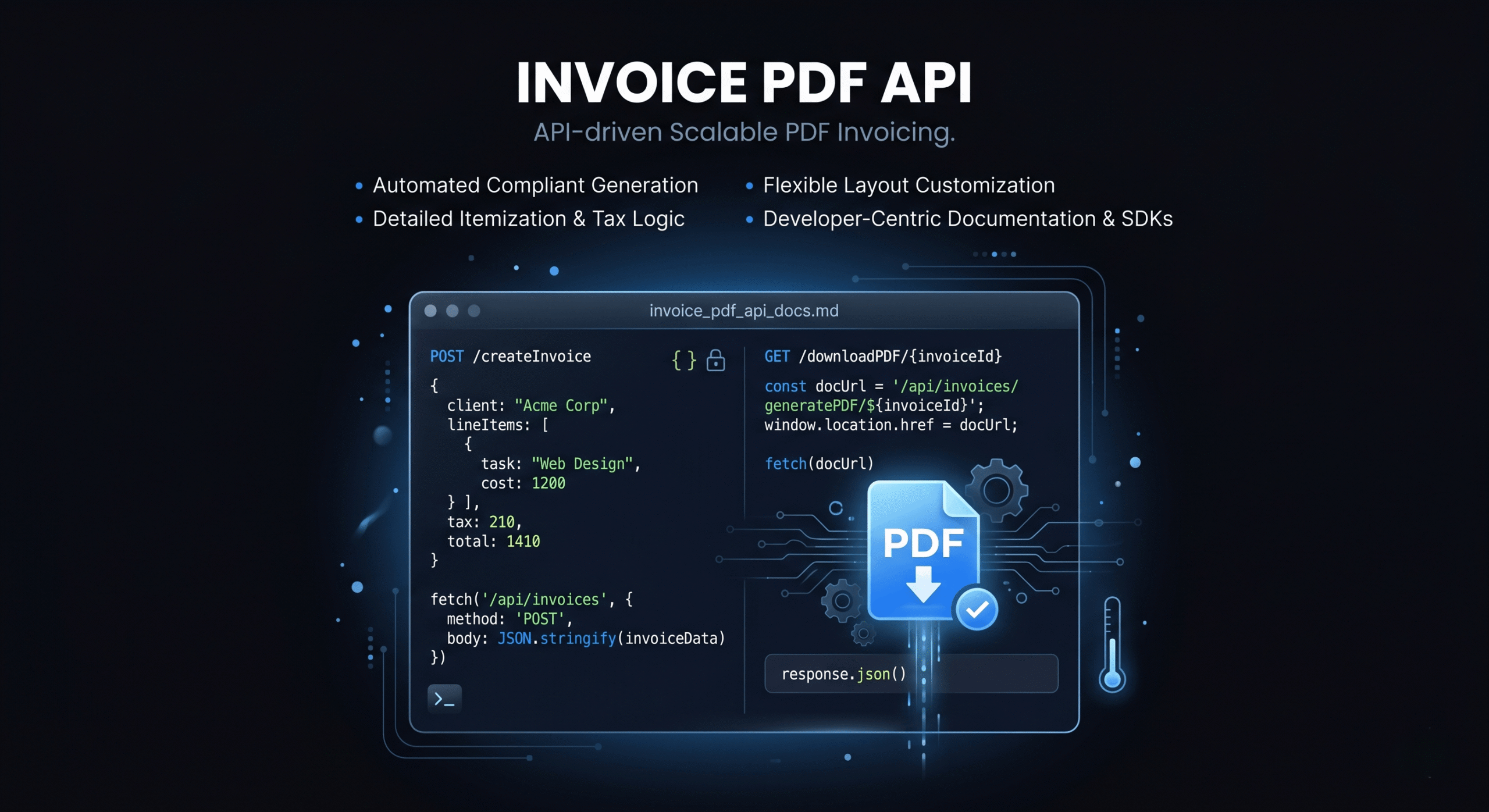
Some developers want more than a SaaS invoicing tool — they want to generate invoices programmatically as part of their own application, workflow, or automation pipeline. Whether you’re building a client portal, automating billing for a SaaS product, or creating a custom invoicing microservice, an invoice PDF generator API gives you full control over the output.
This guide covers the technical landscape: the APIs and libraries available for generating invoice PDFs, how to structure an invoice programmatically, template approaches, and when to build versus when to use a SaaS tool like DevInvoice.
When to Build Your Own vs. Use a SaaS Tool
Before writing code, ask yourself whether building an invoice generator is the right approach:
- Build your own if: You’re integrating invoicing into a product you sell, you need complete control over the PDF layout, you’re generating thousands of invoices programmatically, or you have unique requirements no SaaS tool supports.
- Use a SaaS tool if: You’re a freelancer or small team invoicing clients directly, you want payment integration (Stripe) out of the box, you don’t want to maintain PDF generation infrastructure, or you need the invoice ready in minutes, not weeks of development.
For most freelancers, DevInvoice handles everything without writing code. The API approach is for developers building invoicing into their own systems.
Approach 1: HTML-to-PDF Conversion
The most common approach: design your invoice as an HTML template, populate it with data, and convert to PDF using a headless browser or rendering engine.
Libraries & Tools
- Puppeteer (Node.js): Headless Chrome for pixel-perfect HTML-to-PDF. The most popular choice for complex layouts.
- Playwright (Node.js/Python): Similar to Puppeteer with cross-browser support.
- wkhtmltopdf: Standalone CLI tool that converts HTML to PDF using WebKit. Fast and lightweight.
- WeasyPrint (Python): CSS-based PDF engine. Great for print-quality output with CSS Paged Media support.
- Prince XML: Commercial-grade HTML/CSS to PDF converter. Best quality but expensive ($3,800+ license).
Workflow
- Design your invoice template in HTML + CSS
- Build a data model for invoice fields (sender, recipient, line items, totals, taxes)
- Populate the HTML template with invoice data (use a template engine like Handlebars, Jinja2, or EJS)
- Render the populated HTML to PDF using your chosen library
- Save or stream the PDF output
Pros: Full design control, familiar HTML/CSS, easy to iterate on templates.
Cons: Requires a headless browser or rendering engine in your deployment environment. Can be slow for high-volume generation.
Approach 2: PDF Generation Libraries (Direct)
Generate PDF documents directly using a PDF library without the HTML intermediate step:
- PDFKit (Node.js): Low-level PDF generation. Full control over every element, but verbose code for complex layouts.
- jsPDF (JavaScript): Client-side or server-side PDF generation. Good for simple invoices, limited for complex layouts.
- ReportLab (Python): Mature PDF library with precise layout control. Widely used in enterprise Python applications.
- FPDF2 (Python): Lightweight PDF generation. Simple API, good for straightforward invoice layouts.
- iText (Java/.NET): Enterprise-grade PDF library. Powerful but complex, with commercial licensing for many use cases.
Pros: No browser dependency, faster generation, smaller deployment footprint.
Cons: More verbose code for complex layouts. Harder to iterate on design compared to HTML/CSS.
Approach 3: Invoice-Specific APIs (SaaS)
Third-party APIs that handle invoice generation as a service:
- Stripe Invoicing API: If you’re already using Stripe for payments, their Invoicing API creates, sends, and collects invoices programmatically. PDF generation included.
- Invoice Ninja API: Open-source invoicing platform with a REST API. Self-host or use their cloud service.
- Apideck / Merge.dev: Unified APIs that connect to multiple invoicing platforms through a single interface.
Pros: Fastest time to implementation. Payment collection, email delivery, and PDF generation handled for you.
Cons: Less design control. Ongoing API costs. Vendor dependency.
Invoice Data Model
Regardless of which approach you use, your invoice data model should include:
{
invoice_number: “INV-2026-042”,
issue_date: “2026-03-09”,
due_date: “2026-03-24”,
currency: “USD”,
sender: {
name, address, email, tax_id, logo_url
},
recipient: {
name, company, address, email
},
line_items: [
{ description, quantity, unit, rate, amount }
],
subtotal, tax_rate, tax_amount, total,
payment_terms, payment_link, notes
}
This structure maps directly to the invoice elements covered in our how to create an invoice guide.
Template Design Best Practices
- Keep the layout simple. Clean grids, consistent spacing, and readable typography. Invoices aren’t marketing materials — clarity trumps creativity.
- Support variable-length line items. Your template must handle 3 line items as gracefully as 30. Use CSS flexbox/grid or dynamic table rendering.
- Handle page breaks. For long invoices, ensure line items don’t break across pages awkwardly. Use CSS page-break-inside: avoid on table rows.
- Include all legal requirements. Tax ID, sequential invoice numbers, tax breakdowns — see our tax invoice requirements guide.
- Make payment links clickable. Even in PDFs, embedded hyperlinks work in most PDF viewers. Make the payment CTA prominent and clickable.
- Test across PDF viewers. Render your PDF and verify it looks correct in Adobe Reader, Chrome’s PDF viewer, Preview (macOS), and mobile PDF apps.
Performance Considerations
- Caching: Cache compiled templates. Recompile only when the template changes, not on every invoice generation.
- Batching: If generating many invoices, use a queue (Bull, Celery) to process them asynchronously.
- Headless browser pooling: For Puppeteer/Playwright, reuse browser instances instead of launching a new one per invoice.
- CDN for assets: Serve logo images and fonts from a CDN to speed up template rendering.
Frequently Asked Questions
What’s the easiest way to generate invoice PDFs programmatically?
For most developers, the HTML-to-PDF approach using Puppeteer (Node.js) or WeasyPrint (Python) offers the best balance of design control and development speed. Design in HTML/CSS, populate with data, render to PDF.
Can I use Stripe’s API to generate invoices?
Yes. Stripe’s Invoicing API creates invoices, generates PDFs, sends them to clients, and collects payment. It’s the fastest path if you’re already in the Stripe ecosystem, though design customization is limited compared to building your own.
How do I handle multi-currency in programmatic invoices?
Store the currency code per invoice and format amounts using a locale-aware library (Intl.NumberFormat in JavaScript, locale module in Python). Display the currency symbol alongside all amounts. See our multi-currency invoicing guide.
Should I build an invoice generator or just use DevInvoice?
If you’re invoicing clients as a freelancer, DevInvoice is faster, cheaper, and more feature-complete than building your own. Build your own only if you’re integrating invoicing into a product you sell or have requirements no existing tool satisfies.
Choose the Right Approach for Your Needs
For most freelancers, a SaaS invoicing tool is the right answer. For developers building invoicing into their products, the HTML-to-PDF approach offers the best combination of flexibility and development speed. Choose the approach that matches your actual use case — not the most technically interesting one.